What can be customised on a commercial display?
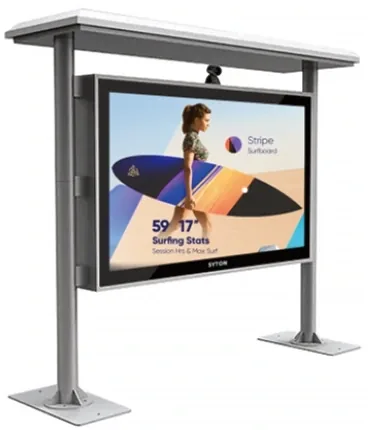
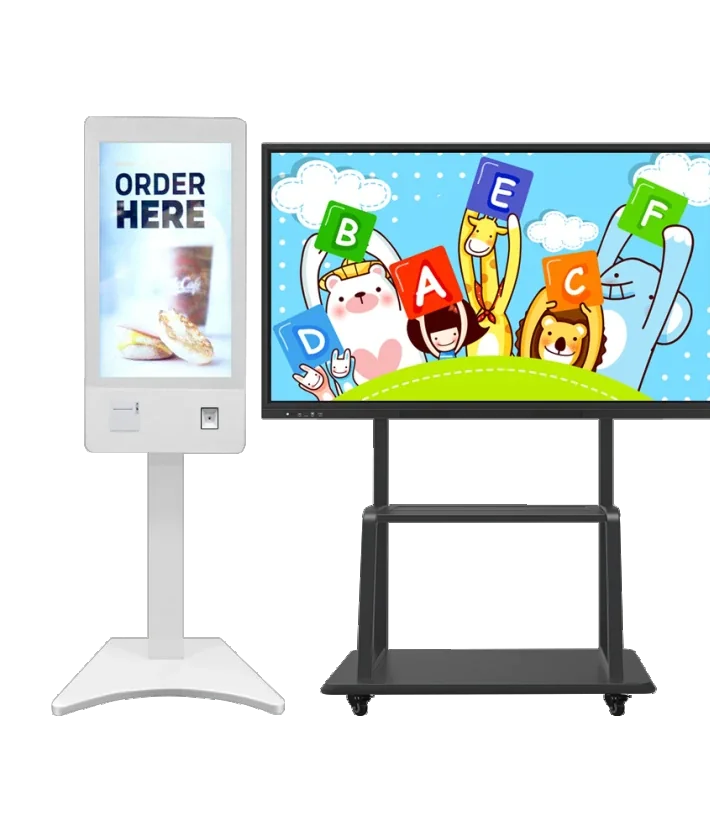
Customisation ranges from cosmetic to structural. Cosmetic changes include enclosure colour, logo, packing, boot screen and accessory labels. Structural changes include a different enclosure shape, a mounting frame, a transparent showcase, a stretched bar format or an integrated peripheral bay.
The more structural the change, the more engineering and tooling it needs. A logo print can be applied to a standard unit; a new enclosure needs a drawing, a mock-up, a mould or sheet-metal programme and a validation build. Plan the project around the change that actually affects the customer experience.
| Customisation | Impact | Typical lead time driver |
|---|---|---|
| Logo / colour / packing | Low | Printing and packing approval |
| Boot screen / default settings | Low | Firmware and content approval |
| Mounting frame / enclosure cut-out | Medium | Drawing and sheet-metal sample |
| New enclosure / mould | High | Tooling, mock-up and validation |
| Transparent / stretched / custom panel | High | Panel sourcing and optical validation |
Which parts should stay standard?
Keep the panel, the player board and the power supply standard unless there is a strong reason to change them. These are the parts that determine reliability, certification and spare-parts availability. A custom enclosure around a standard panel is usually safer than a custom panel with no field history.
If a custom panel is required, budget for validation: brightness uniformity, colour, touch accuracy, thermal behaviour and certification. A sample that looks right on a desk may fail in a wall or outdoor enclosure.
How does enclosure customisation work?
The process starts with a requirement drawing: external dimensions, screen opening, mounting points, service access, cable entry, ventilation and finish. The supplier turns it into a production drawing and a mock-up. Only after the mock-up is approved should tooling or sheet-metal production start.
Approval should cover the physical sample, the colour under the intended lighting and the packing. A colour that matches under office light may look different in a shop window. Sign off a physical sample, not only a digital render.
- Requirement drawing with dimensions and interfaces.
- Production drawing and material/finish specification.
- Physical mock-up for fit, colour and service access.
- Pilot build before mass production.
What branding can be applied?
Typical branding includes a logo on the enclosure, a custom colour, a boot screen, a default wallpaper, a branded remote control, a printed quick-start guide and retail packaging. The scope should be listed in the purchase order, with artwork files, colour references and approval dates.
Do not put a third-party brand on a product unless you have the right to use it. If you are an OEM buyer, confirm that the factory will not ship the same enclosure with another customer’s logo. Exclusivity and tooling ownership should be written into the agreement.
What compliance documents are needed for export?
The documents depend on the destination market and the product. Common requests include CE and RoHS for the EU, FCC for the US, and local safety or EMC requirements for other markets. The supplier should provide documents for the exact model, not a generic certificate for a similar product.
Ask for the test report, the certificate and the model list. Check that the model number on the document matches the quotation. If the product is customised, confirm whether the change affects the certification and whether a new test is required.
| Document | What it covers | Check |
|---|---|---|
| CE (LVD / EMC) | EU safety and electromagnetic compatibility | Model list and test report |
| RoHS | Restricted substances | Model and date |
| FCC | US electromagnetic interference | Model and test lab |
| ISO 9001 / 14001 | Quality and environmental management | Scope and certificate body |
| IP rating report | Ingress protection for outdoor models | Exact enclosure and test level |
How do I protect the panel and player in a custom design?
A custom enclosure changes the thermal path. Confirm that the panel and player receive enough airflow, that the power supply is not enclosed in a hot pocket, and that the service access does not compromise the seal. For outdoor designs, test the cabinet temperature at midday before production.
Protect the player from vibration and accidental unplugging. Use a lockable compartment, a strain-relieved cable and a labelled service route. A custom enclosure that is hard to service will increase downtime for the life of the product.
What should the purchase order include?
A clear purchase order prevents most OEM disputes. Include the model, panel specification, player configuration, touch option, enclosure drawing revision, finish and colour reference, branding artwork, packing, compliance documents, sample approval record, warranty terms and the spare-parts list.
- Model and full configuration, including player and touch.
- Enclosure drawing revision and colour reference.
- Branding files and approval record.
- Compliance documents for the exact model.
- Warranty, spare parts and RMA procedure.
How do I plan a pilot order?
Start with a pilot quantity that is large enough to test the production process but small enough to limit risk. Inspect the pilot against the approved sample, install one unit in the real environment and run it for at least a week before releasing mass production.
Record what changed after the pilot: fastener type, packing, firmware version, cable length, colour batch. These small changes are the ones that cause rework in mass production.