
Video walls
LCD Video Walls
46–55-inch video-wall panels with 500–700 cd/m² brightness, 0.88–3.5 mm bezel options and matrix combinations from 1×2 to 4×5 and beyond. Wall, pop-up, floor-stand and cabinet mounting are supported.
Last reviewed:
Pricing depends on screen size, brightness, player platform, touch option, enclosure and order quantity. Request a quotation for the current price.
Model-level pricing · Drawings on request · Reply within one business day
Configure in 5 questions- Screen size
- 46–55 inch
- Brightness
- 500 / 700 cd/m²
- Bezel
- Seamless / 0.88 / 1.7 / 3.5 mm
- Combinations
- 1×2 to 4×5 and beyond
- Input methods
- Splitter / matrix / media box / processor
Available models and configurations
3 models
Specifications are indicative. Confirm the final configuration on the quotation.
Select a model code to request that exact configuration.
View model photos & drawings| Model | Screen size | Resolution | Brightness | Bezel | Combinations |
|---|---|---|---|---|---|
| SD-G460J | 46" | 1920×1080 / 3840×2160 | 500 / 700 cd/m² | Seamless / 0.88 / 1.7 / 3.5 mm | 1×2 to 4×5 |
| SD-G490J | 49" | 1920×1080 / 3840×2160 | 500 / 700 cd/m² | Seamless / 0.88 / 1.7 / 3.5 mm | 1×2 to 4×5 |
| SD-G550J | 55" | 1920×1080 / 3840×2160 | 500 / 700 cd/m² | Seamless / 0.88 / 1.7 / 3.5 mm | 1×2 to 4×5 |
Bezel and combination availability depends on the panel batch. Confirm the exact bezel, brightness and bracket set on the quotation before designing the wall structure.
Scroll horizontally to see all columns
Specifications are indicative and may be updated by the manufacturer without notice. The quotation and approved sample prevail.
Models & visuals
Models, photos and drawings.
Only models with a confirmed product photo, installation reference or dimension drawing are shown here. Request the matching file for any other model.
Series referenceModel files on request.
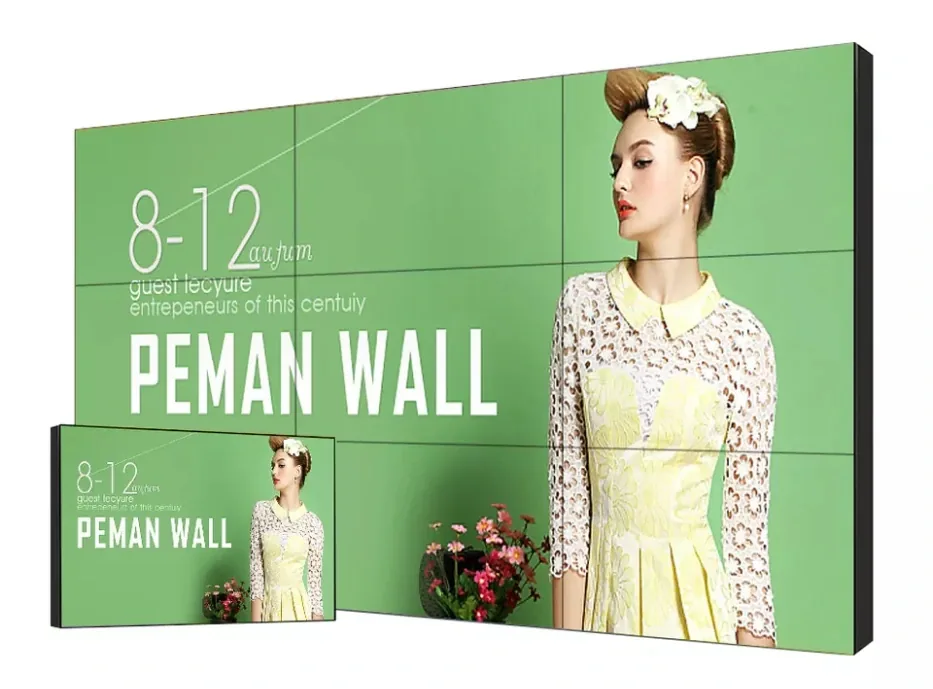
The series photo shows the product format. Tell us the model code and we will send the matching photo, drawing and specification sheet.
SD-G460J · SD-G490J · SD-G550J
Other model photos and drawings are available with the quotation.
Selection support
Not sure which model fits?
Send the installation environment, screen size and quantity. We will reply with a short model list and the reason each model fits.
Family overview
What this configuration is for.
Pricing depends on screen size, brightness, player platform, touch option, enclosure and order quantity. Request a quotation for the current price.
A video wall is a system, not a set of screens. Panel bezel, brightness uniformity, mounting tolerance, signal distribution and content mapping all determine whether the image reads as one surface or as a grid of tiles.
The SD-GJ series covers 46, 49 and 55 inches with 500 or 700 cd/m² brightness and bezel options of seamless, 0.88 mm, 1.7 mm and 3.5 mm. Combinations include 1×2, 2×2, 2×3, 3×3, 3×4 and 4×5, with wall, pop-up, floor-stand and cabinet brackets.
Bezel width is the first decision because it sets the visible grid. A 0.88 mm bezel is appropriate for close-viewing control rooms and premium lobbies; 1.7 mm suits general signage; 3.5 mm is a cost-effective choice for large walls viewed from a distance. Content should be designed with the bezel gap in mind, not scaled blindly across the matrix.
Brightness and uniformity matter more than peak nits. A 500 cd/m² panel is adequate for a controlled lobby; 700 cd/m² is better for a bright atrium or a wall facing glazing. Ask for a uniformity report and a sample of adjacent panels if the wall will display flat colour fields, because tile-to-tile variation is most visible on white or grey backgrounds.
Signal distribution is part of the specification. The datasheet lists HDMI splitter, matrix, media box and splice processor as input methods. A simple 2×2 wall can use a splitter; a multi-source control room needs a matrix and a processor. Confirm the number of inputs, the source resolution and the desired window layout before choosing the processor.
Mounting tolerance determines the visible seams. The wall structure must be flat and capable of carrying the total weight; pop-up and floor-stand brackets simplify service access but need floor space. For a control room, specify front-service brackets so a panel can be replaced without dismantling the whole wall.
What the platform gives you
Turning specifications into a configuration you can check.
0.88–3.5 mm bezel options
Match the visible grid to the viewing distance and budget.
Matrix flexibility
Combine panels from 1×2 to 4×5 and larger formats.
Signal distribution
Splitter, matrix, media box or splice processor depending on sources.
Service access
Front-service brackets simplify panel replacement in control rooms.
Control-room and lobby formats
Wall, pop-up, floor-stand and cabinet mounting are listed.
Commercial terms
Send the configuration. Get price, MOQ and lead time back.
Tell us the model or family, quantity and destination country. We reply within one business day with the configuration, price and lead time — no list price is published because each build is quoted separately.
- Price
- Quoted per configuration
- MOQ
- Quoted per model and project
- Lead time
- Stated on the quotation
- Warranty
- Per model and destination
- Sample
- Terms quoted on request
- Packing
- Export carton or wooden case
Price on request. First reply within one business day.
Request price
Required fields are marked. We reply within one business day, Monday to Saturday (GMT+8).
Frequently asked questions
Questions buyers ask before specifying this product
Which bezel width should I choose?
Use 0.88 mm for close-viewing control rooms and premium lobbies, 1.7 mm for general signage walls, and 3.5 mm for large walls viewed from several metres away. The content design must account for the bezel gap; a face or chart that crosses a seam will still show a line even with a narrow bezel.
Can the wall show one image across all panels?
Yes, with the correct processor or matrix. The source is mapped across the matrix and the bezel compensation is set in the processor. For a simple 2×2 wall, a splitter may be enough; for multiple sources and windows, specify a matrix and splice processor.
What resolution should the content be?
Design at the native canvas of the whole wall, not at a single panel’s resolution. A 2×2 wall of 1920×1080 panels gives a 3840×2160 canvas before bezel compensation. Provide the content in the wall’s native canvas and keep critical text away from the seams.
How is the wall mounted?
The datasheet lists wall-mounted, pop-up, floor-stand and cabinet brackets. The wall must be flat and able to carry the total weight. For service access, specify front-service brackets; for rented venues, floor-stand or cabinet frames may be easier to install and remove.
Do you provide the processor and content player?
The video-wall family covers panels and mounting; signal distribution can be quoted as part of the wall package. Send the number of sources, the desired window layout and the control interface, and the processor, matrix and player will be specified together.
Related products
Other families that work with this one.


Need the exact configuration for this family?
Send the site, size, brightness and quantity. We will reply with the model list, price and lead time.